Designing trust into a barcode-free checkout
Self Checkout+ is a computer vision grocery checkout system that identifies items without barcodes. I led the product direction and built the entire customer-facing experience, designing an interface that makes shoppers trust a system working invisibly behind the scenes.
The Problem
Traditional self-checkout fails at the same moment every time: when there's no barcode. Loose produce, bulk goods, specialty items, the customer either guesses a code from a printed menu or waves down an attendant. That's the failure point we set out to eliminate with computer vision instead of a scanner.
But removing the barcode doesn't remove the two people who have to trust the result. Shoppers need to believe a system working invisibly behind the scenes got their total right before they'll pay it. Store staff need a fast way to step in the moment it doesn't, without holding up the line. Design for the first group and ignore the second, and one CV miss turns into a stuck checkout lane. The CV pipeline itself, YOLOv8 detection matched against a CLIP-trained embedding database, was strong from early on. The open problem was everything around it: an interface that earns trust for a system nobody can see working.
My Role
As Product & UI Lead, I owned two things that rarely travel together: every pixel of the customer experience, and every major decision about what the product should actually do.
- Led product decisions with the team and advisor, from feature scope to architecture tradeoffs
- Raised and resolved questions like: should we auto-add items or ask first? should we show a live video feed?
- Contributed to the systems thinking and architecture for the computer vision model, not just the customer's side of it
- Cut features that added complexity without adding trust or speed
- Designed and built the complete customer checkout flow in React, all six screens
- Built the admin dashboard for store operators: inventory, overrides, session monitoring
- Integrated the Raspberry Pi cameras myself, wiring the hardware capture into the CV module
- Owned the SQLite schema and the integration between the React frontend and FastAPI backend
- Implemented Framer Motion animations and resolved animation-blocking issues during API calls
Customer UI and admin dashboard in React with Framer Motion. Backend in FastAPI with SQLite. CV pipeline using YOLOv8 + CLIP + FAISS + OCR running on a Raspberry Pi. Hardware signaling over an ATmega328p MCU. My domain was mainly the software layer above the CV model, plus the camera integration and input on the CV architecture.
The Customer Experience
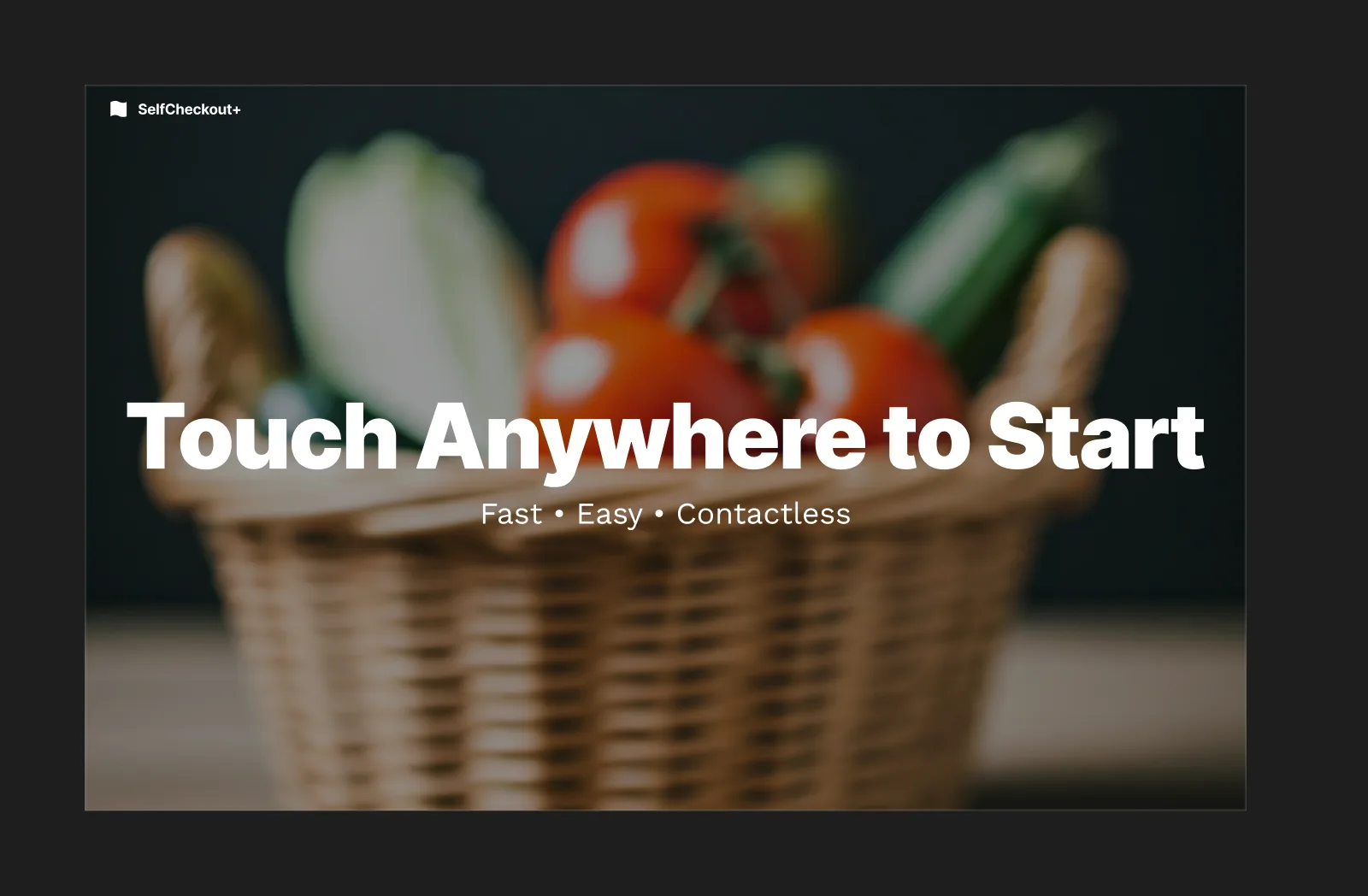
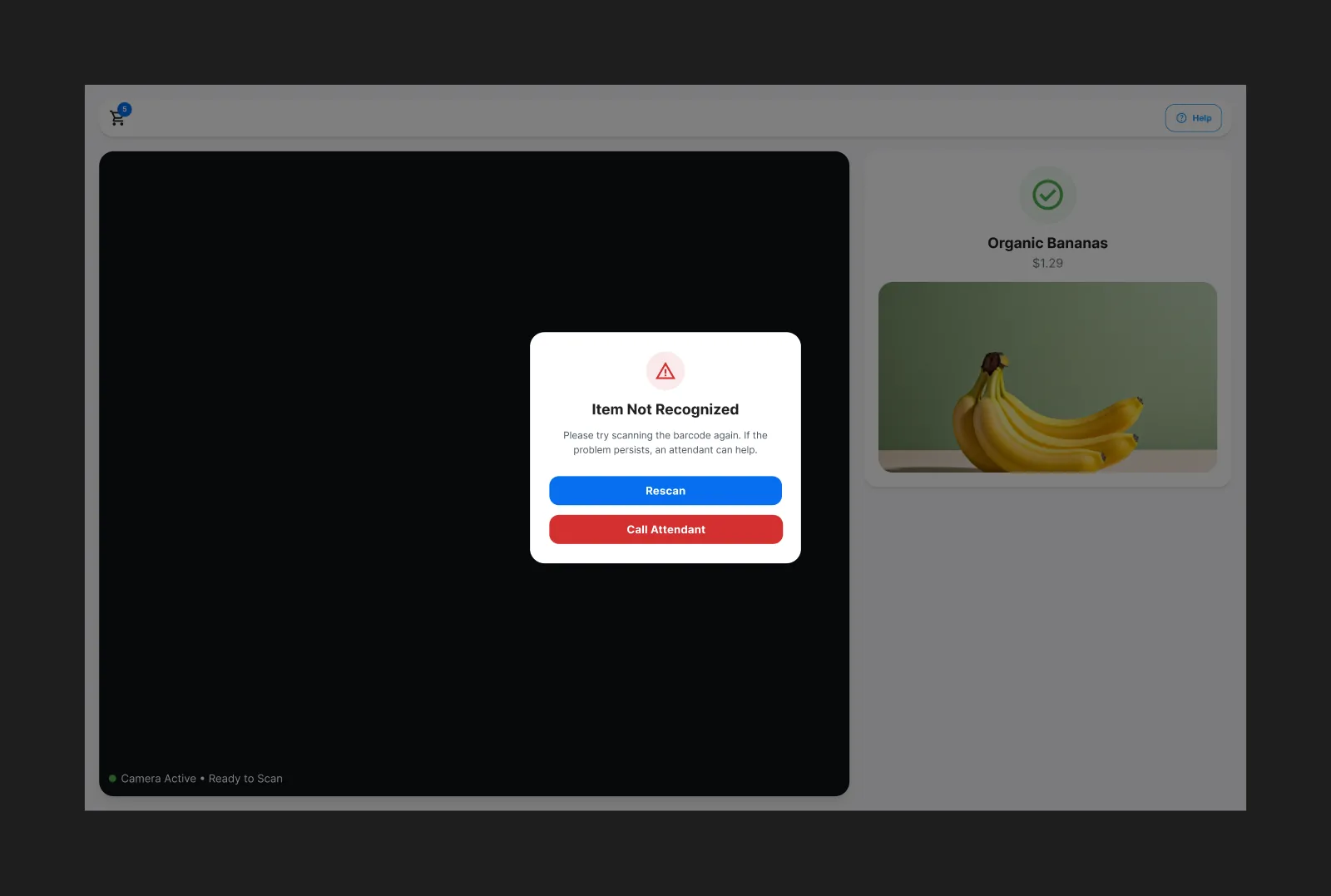
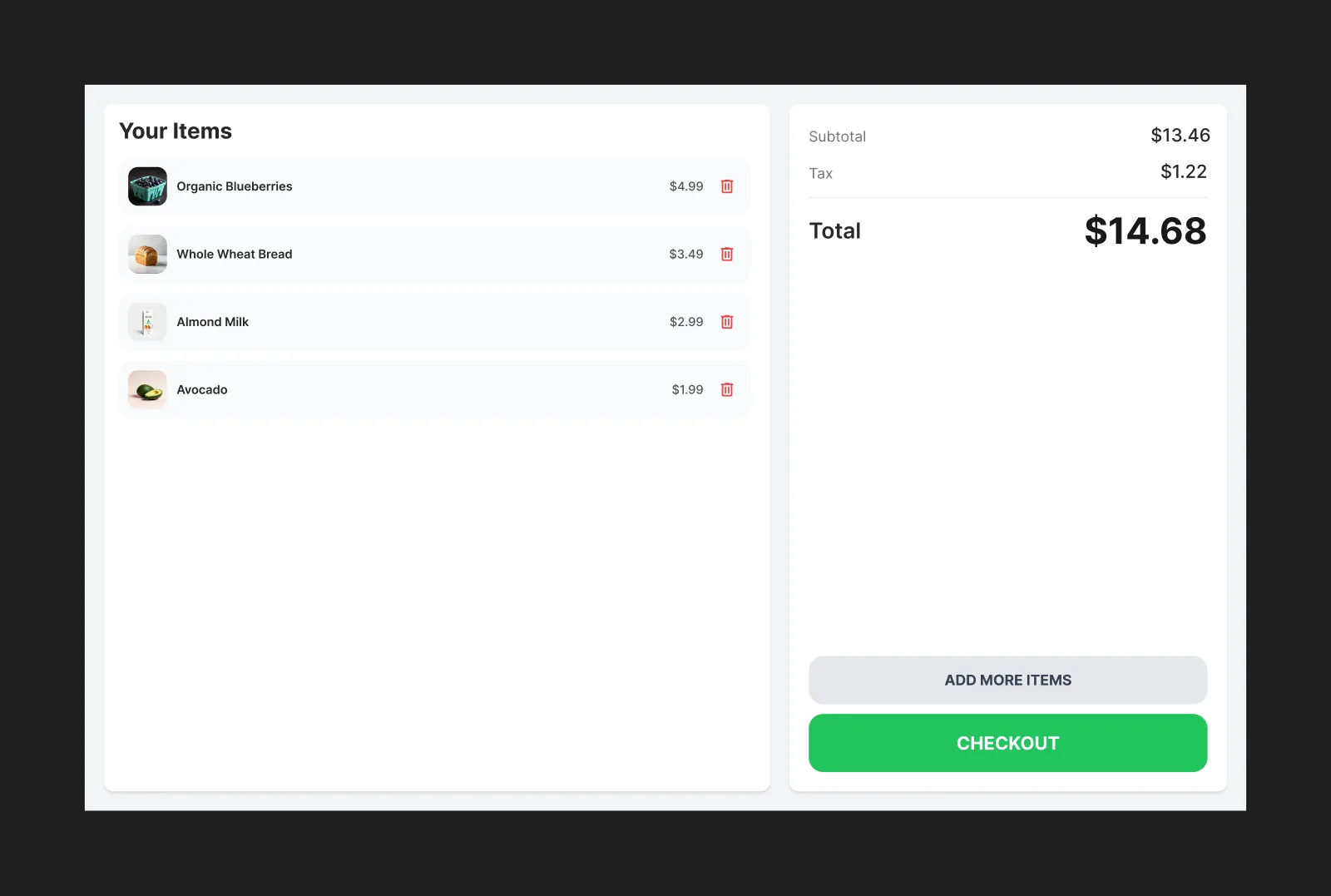
Six screens, one goal: make shoppers trust a system working entirely out of sight. Every design decision was about control, giving customers a visible way to verify, correct, and confirm before money changed hands.
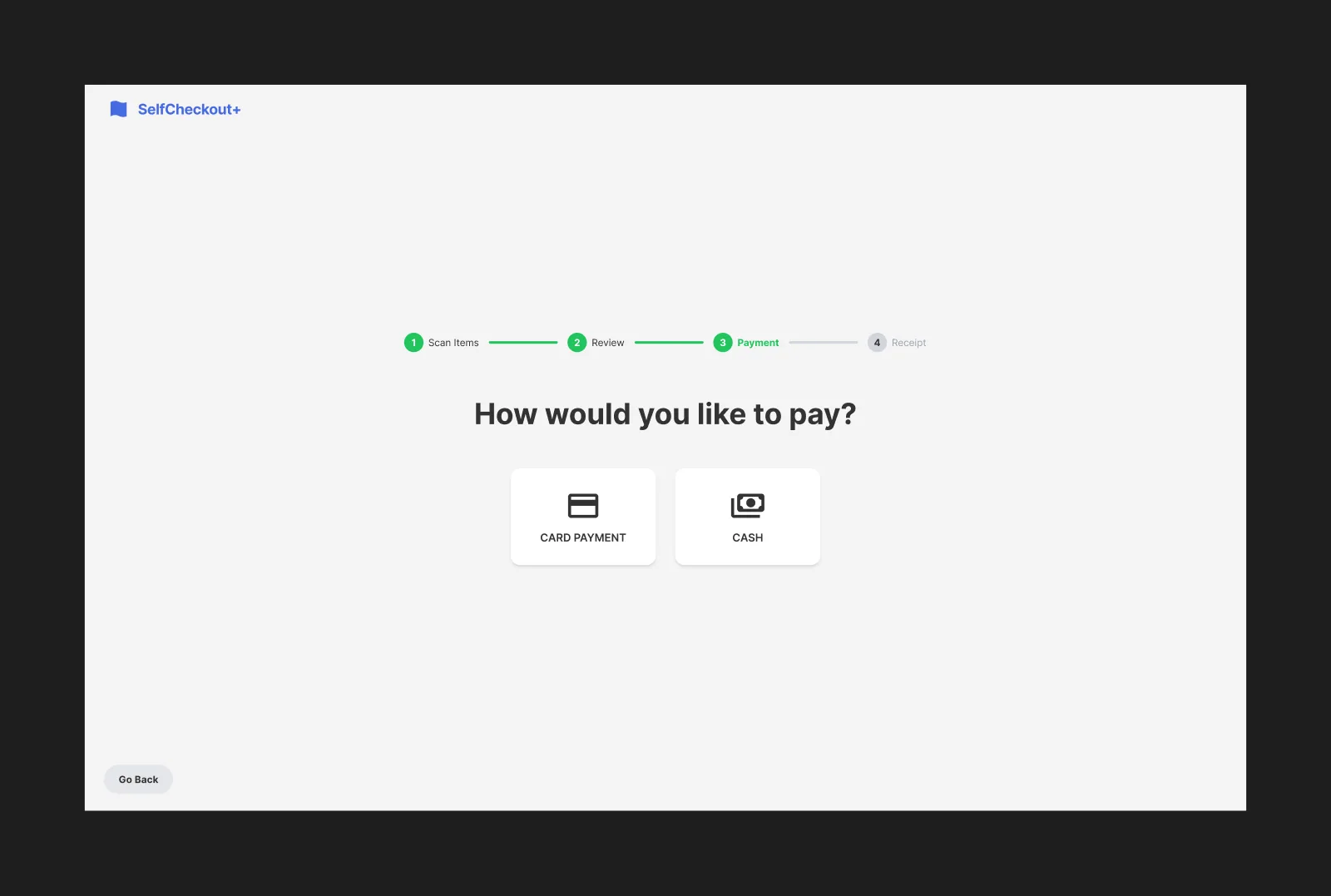
Mockup: receipt preference screen — a four-step progress bar with Scan, Review, and Payment complete, asking “How would you like your receipt?” with Email selected, plus Print and Skip options.
Mockup: confirmation screen — “Thank You! Your receipt has been emailed,” with a prompt to touch anywhere to restart.
Key Design Decisions
The most interesting design work wasn't the visual styling, it was the product thinking that shaped the flow. Each one below started from a pain point a shopper or a store operator would actually hit, and the tradeoff I made to fix it.
The Integration Challenge
The hardest problems weren't in any single layer. They were at the seams between layers. The CV pipeline produced detection events. The FastAPI backend processed them into cart items. The React frontend rendered the cart. When all three systems were moving at once, things broke in ways no single component's tests could catch.
As the person responsible for the integration layer, I owned the SQLite schema that made the CV pipeline's output usable by the frontend. I also designed the API contract between FastAPI and React: which fields the frontend could trust, which had to be calculated server-side, and how errors from the CV layer should surface to the customer.
The hardest integration problems weren't really about code. They came down to being clear about which layer owned what. Once each layer had one job, most of the bugs had nowhere to hide.
The Admin Interface
The customer-facing flow was one half of the product. The other half was the operator dashboard, the interface that lets store staff manage inventory, approve manual overrides, and monitor active sessions. I designed and built this separately from the customer UI, giving it a simpler, more utilitarian look that reads as an internal tool rather than a customer product.
Mockup: the admin inventory dashboard — a sidebar with store operations, a product database table showing item, category, price, CV detection confidence, and status, with summary stats for total items, active items, average confidence, and pending reviews.
Mockup: the override queue — three pending items the CV model could not identify, each with the lane, session, reason code, price, and Approve/Reject actions for store staff.
The override queue was one of the most important features I designed, not because it gets used often, but because it's the plan for when things go wrong. When the CV pipeline can't identify an item, store staff need a fast way to add it manually without interrupting the customer's checkout. Every override is logged with a reason code, which also gave us data on exactly where the CV model needed to improve.
"The system could identify a banana with 99% confidence. My job was designing the 1%, the moment it doesn't, and what happens next."
The Results
We wrote seven testable specs before building anything, and validated every one. The numbers I cared about most were the ones a shopper actually feels, that the total always matched, that the screen never froze, and that an uncertain item still resolved inside the same six-second window.
Two of those tie straight back to the layer I owned. The cart total matched the backend on all 50 transactions, because I'd made the backend the one place the total lived instead of syncing two running counts. And the interface stayed responsive mid-scan because the animation and the data-fetching ran on separate paths. Speed and accuracy were the baseline. What I really wanted to prove was that the trust held up under real conditions, including the moments the model wasn't sure.
If this ran in a real store, the main thing I'd watch is override rate, how often a shopper's cart needs a manual fix. Accuracy tells you the model is good; override rate tells you whether shoppers trust it enough to not double-check every item themselves.